


The Real Estate Transaction Management Buyer’s Guide for Brokers

dotloop
November 19, 2025 | comments
What to Look for When Choosing a Transaction Management Software for Your Real Estate Brokerage
PLUS: Downloadable Vendor Evaluation Checklist ↓
What is Real Estate Transaction Management Software?
The term “real estate transaction management” has a wide-ranging connotation in the real estate industry to describe a software app that, at a minimum, provides an eSignature platform with autofill, maybe some storage capabilities and possibly integration with a CRM and/or back-office app.
However, to compete in the current 2025 market and beyond, your software should offer brokers, agents, teams, admins and transaction coordinators a true end-to-end, collaborative solution that provides all of the above and more in a single, agent-friendly system that the entire real estate office will adopt and actually use from day one.
Core Benefits of a Complete Transaction Management Solution
A strong transaction management solution may help brokers with recruiting, support compliance, and reduce overhead costs by helping your real estate brokerage or team work more efficiently and effectively.
Agents should be able to complete a full transaction on any mobile device wherever they are. Transaction coordinators should have the ability to review all their agents’ deals on a single platform with a single log-in and support their agents by managing tasks, editing and sharing documents with clients as well as creating the transaction if desired.
So how do you know which real estate transaction management software is the best choice for your brokerage? You just have to ask the right questions.
Key Focus Areas and Questions to Ask When Evaluating Software
COMPLIANCE
Compliance features help brokerages align transactions with internal policies and applicable state/association requirements by using workflows such as submit-for-review, required fields, and activity logs with e-signature details. These tools can support broker oversight and maintain an auditable record for internal reviews. Actual compliance outcomes depend on brokerage practices and legal requirements.
Questions to ask about Compliance
1. Can your transaction management software automate the compliance review process?
Look for special features like customized workflows that help move your transaction into the next review phase and set up the compliance process for broker approval. Automated notifications help ensure every person is alerted when they need to take action at specific phases, such as commission payouts or closing documents.
2. Can your agents and admins easily submit documents for review?
Look for software that offers an easy submit for review process for agents, including the ability to do it from their phone or mobile app.
3. Can you create transaction templates within the system?
Transaction templates make it easy for agents to ensure all required documents and information make it to the closing. The best solutions allow admins and transaction coordinators to insert placeholders for documents that don’t originate in the program, such as earnest money receipts. Also, look for required fields to capture transactional data that’s essential to your brokerage.
4. Does your system have features to help support audit readiness?
Ask if the system provides eSignature verification, document history, activity logs and downloadable .csv files for texts.
5. Can your office admins and transaction coordinators review, share and edit documents for agents?
Make sure there’s a seamless process for admins and transaction coordinators to easily carry out agent functions without having to log in and out of their profiles.
6. Does your software provide a complete activity log or audit trail to support compliance?
Look for platforms that maintain a detailed audit trail that records every action taken within a transaction. This includes when documents are shared, signed, or modified, as well as version history for each document and even field-level changes.
Comprehensive logs allow brokers and administrators to review activity by account, transaction, document, or field, ensuring full visibility into who did what and when. Time-stamped records that adjust to user time zones further strengthen accuracy and transparency. These capabilities can help brokerages support compliance, resolve disputes, and maintain oversight with confidence.
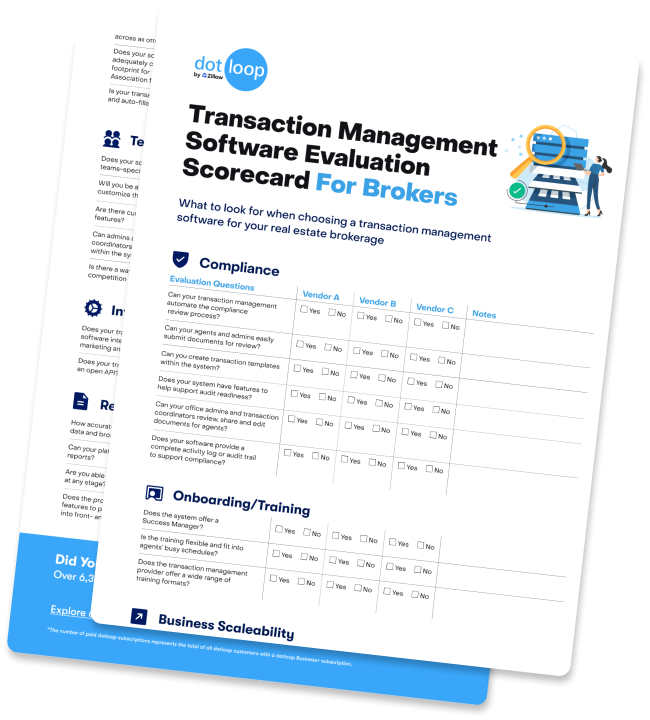
Real Estate Transaction Management Software Evaluation Scorecard for Brokers
Download this free checklist to help you evaluate different real estate brokerage transaction management options.
ONBOARDING & TRAINING
Onboarding and training programs are tailored for brokers and office administrators to offer structured and repeatable learning paths for agents, transaction coordinators, and other support staff. They can include live and on-demand resources to help facilitate consistent adoption across offices and align daily operations with brokerage standards.
Questions to ask about Onboarding and Training
1. Does the system offer a Success Manager?
A great transaction management system has great support personnel — knowledgeable, helpful professionals who are with you not just for the first three months but the lifetime of the business relationship.
As your business grows and scales, you’ll want periodic reviews, such as an Executive Business Review, to ensure your brokerage or team is hitting its objectives and keeping everyone up to
2. What is the overall market share of the platform?
The virality of a platform supports the network effect it has in the entire market, meaning the more people who are on the platform, the easier it is for others to collaborate regardless of the brokerage or team.
3. Does the transaction management provider offer a wide range of training formats?
Different people learn differently so you’ll want to consider offering agents and support staff the option of a wide variety of training formats like webinars, eBooks, and video learnings.
4. Is the training flexible and fit into agents’ busy schedules?
Look for on-demand and live options that can be viewed anytime.
5. What is the retention rate of the provider?
Make sure to check the history, churn rate and satisfaction of the software’s real estate customers.
6. What is the training satisfaction rate of the educational offerings?
Ask for surveys or other ratings that help instill confidence in other customers’ satisfaction with the platform. Support can range widely from low-scoring platforms to those scoring in the mid-90 percentile range.
BUSINESS SCALABILITY
Your transaction management software vendor and technology should facilitate growth through features like role-based hierarchies, office and team structures, and user tiering. It’s important to have access to optional professional services such as outsourcing custom form build-outs, VIP support, and HR onboarding. This scalability can help minimize the need to switch platforms as you expand your agent base, open new offices, or broaden your service offerings.
Questions to ask about Business Scalability
1. Does the system have a high overall user rating online?
A high-star rating will help indicate how well the software sustains the satisfaction of other real estate brokerage and team businesses.
2. As your brokerage or team grows, can your tools scale alongside your business?
Make sure there’s a clear chain of command for reporting and compliance that supports the hierarchy between your offices and teams.
Make sure there are sales tiers that allow your operation to easily “size up” in groups of five users at a time, for instance, so you don’t have to constantly contact the provider whenever you add a new agent or admin.
Look for a variety of offerings to fit your business as you grow such as different platforms for teams, ability to expand and organize offices, and availability of professional services.
3. Is there a professional services option that can help you scale your business?
For instance, some providers offer services that include VIP phone support for agents, custom resources to help onboard new agents, custom training, custom forms, field calculations and expedited document turnaround.
Also, look for HR dashboards where you can digitally onboard agents on the same platform with agent onboarding “paperwork” solutions that ensure privacy and confidentiality.
4. Does your transaction management system encourage collaboration between agents?
The system should allow agents — including those on the other side of the user/subscriber — to edit docs and use eSignatures to help expedite the deal.
5. Does your software allow you to incorporate service providers?
Look for third-party service provider collaboration to invite lenders, title companies, home inspectors, moving companies, attorneys and home improvement professionals to the conversation.
AGENT EMPOWERMENT
To facilitate quick transaction creation, your transaction management software should offer agents features such as forms coverage, templates, clause libraries, and auto-fill capabilities, all accessible via mobile. Equipping agents with these tools can help them accelerate their workflow, reduce errors, and ensure both deals and compliance remain on schedule.
Questions to ask about Agent Empowerment
1. Does your transaction software empower your agents to create transactions in literally seconds on one digital paperless platform?
Look for a system that incorporates extensive forms coverage, templates and end-to-end collaboration tools to expedite transactions.
Also, make sure the software supports multiple users so agents and support personnel don’t have to log in, log out of disparate systems.
2. Can we set brokerage-wide document templates and clause libraries, enforced by role permissions?
Brokerage-wide document templates and clause libraries, enforced by role-based permissions, are standard in advanced transaction management solutions. These features allow brokerages to maintain consistency and compliance by ensuring agents use only approved documents and clauses. Role permissions control who can create, edit, or access templates and libraries, supporting oversight and reducing risk. This structure helps brokerages streamline workflows and uphold legal standards.
3. Do admins have mobile oversight (approve, revoke, submit for review) across all offices?
Advanced transaction management solutions typically provide admins with mobile oversight capabilities, allowing them to approve, revoke, or submit documents for review across all offices. These platforms often include dedicated mobile apps or responsive web interfaces, enabling real-time access to compliance workflows and transaction status from any location. Role-based permissions ensure that admins can manage transactions organization-wide, supporting oversight and timely decision-making regardless of office or device.
4. Does your software provider’s forms adequately cover your geographic footprint for turnkey transactions? Association forms?
Look for a system that allows all your documents — in-house documents and those not available via forms coverage — to be easily accessible and interactive for all agents.
5. Is your transaction platform automated and auto-fillable?
The system should auto-fill data for one-and-done syncing to eliminate data reentry and errors.
For best results, look for helpful features like a document editor, document templates, a clause manager and easily navigable folders.
TEAM EMPOWERMENT
Effective transaction management software should empower Team Leads and Transaction Coordinators (TCs) to monitor real-time activities for multiple agents and their transactions simultaneously. They should also include “act on behalf of” controls, enabling agents to authorize support staff to send documents and take other authorized actions from the agents’ dotloop account. This helps keep deals moving forward even while the agents are busy with other matters.
Questions to ask about Team Empowerment
1. Does your software boast a teams-specific dashboard?
The best real estate teams transaction systems allow team leads, admins and transaction coordinators to view the progress of multiple accounts simultaneously and act on behalf of agents.
2. Will you be able to allow teams to customize their process?
Look for a system that enables teams to customize their documents, checklists, and team-level review process.
3. Are there customizable reporting features?
Robust teams features provide insight into market performance, coaching opportunities and clear ROI on leads.
4. Can admins and transaction coordinators act on behalf of agents within the system?
Make sure the system is capable of allowing support staff to send documents and take other authorized actions from the agents’ transaction management account. This helps keep deals moving forward even while the agents are busy with other matters.
5. Is there a way to encourage friendly competition among team agents?
Look for system integrations that encourage and track friendly competition such as productivity metrics or agent performance indicators.
INTEGRATIONS AND API
Integrations and an open API give broker office leaders options to connect the software they already use—CRM, email, back office, and reporting—so existing procedures can continue with fewer manual steps. This approach can support basic automation around key milestones and help keep roster and commission data consistent.
Questions to ask about Integrations and API
1. Does your transaction management software integrate with popular CRMs, marketing and back-office apps?
The ability to integrate with multiple real estate products not only saves time and eliminates disparate databases and human error from manual data entry, but it allows for automated workflows to work effectively. Events in one system can trigger an alert or event in another. Manual processes can be eliminated. This integration capability is particularly important when looking at whole company reporting and business ROI. Integrated systems allow leads to be tracked to close, show a future pipeline of business and allow usage of third-party reporting applications.
2. Does your transaction software offer an open API?
Make sure to ask the software provider if they offer an open API.This is important for a number of reasons: First, it ensures that you’ll have the ability to integrate with a third-party technology provider if the vendor doesn’t already have an integration (see above). Secondly, many brokers feel “stuck” with portions of their tech stack because they don’t have any way of getting their data out. As the customer, ask whether you will be able to access and export your data in line with your business needs and applicable agreements. An open API enables this.
Note: it may be worth asking the provider if this service is free as some providers charge a fee for API access or integrations.
Lastly, as more companies employ data teams to maximize their business, an open API allows for the creation of a data lake when combined with data from other assets.
REPORTING
A transaction management system should be able to centralize deal data, providing leaders with a comprehensive view of the pipeline, timelines, and overall performance across various offices. This data can also be exported or synced with spreadsheets, business intelligence tools, and back-office systems.
Questions to ask about Reporting
1. How accurate is the transaction data and brokerage reports?
Brokerages and teams who find “holes” in their data are often working off disparate systems with information scattered across programs. Centralized data is key. A collaborative single workspace that brings all parties, including agents, admins, transaction coordinators and brokers, to the same centralized platform can help keep data accurate, updated and easily accessible.
Also, insist on required fields, like important closing dates, offer dates and lead sources, as well as required documents, such as earnest money checks, to prevent any oversights.
2. Can your platform create custom reports?
Look for features that help visualize your agents’ pipeline, specific transaction data, multi-office views, geographic location of inventory, required fields, property types and more.
3. When does your compliance coordinator see a transaction begin?
Brokers, team leads and transaction coordinators shouldn’t have to wait for an email from their agents to learn of a new deal. A platform that issues instant notifications will help keep everyone on the same page, at the same time.
4. Are you able to view the transaction at any stage?
Look for a tool that provides oversight and visibility at every step, such as how many potential sales fell through, the number of deals started and more.
5. Does the product offer flexible features to pull and push your data into front- and back-office apps?
The best systems can also ingest data from a CRM to track ROI from lead sources and connect to a back office app to push transaction data for streamlined commissions and financial reports.
You should be able to sync your transaction data with visualization tools, such as Google Sheets and Google Data Studio that offer at-a-glance views and easily navigable analysis.
Additionally, you should be able to analyze the transaction data with a .csv extension for easy downloads into Excel spreadsheets and more granular reporting.
Disclaimer: This guide is for informational purposes only. Features and capabilities described may vary by provider. Dotloop does not guarantee specific outcomes and encourages brokerages to evaluate solutions based on their unique compliance, business, and operational needs.
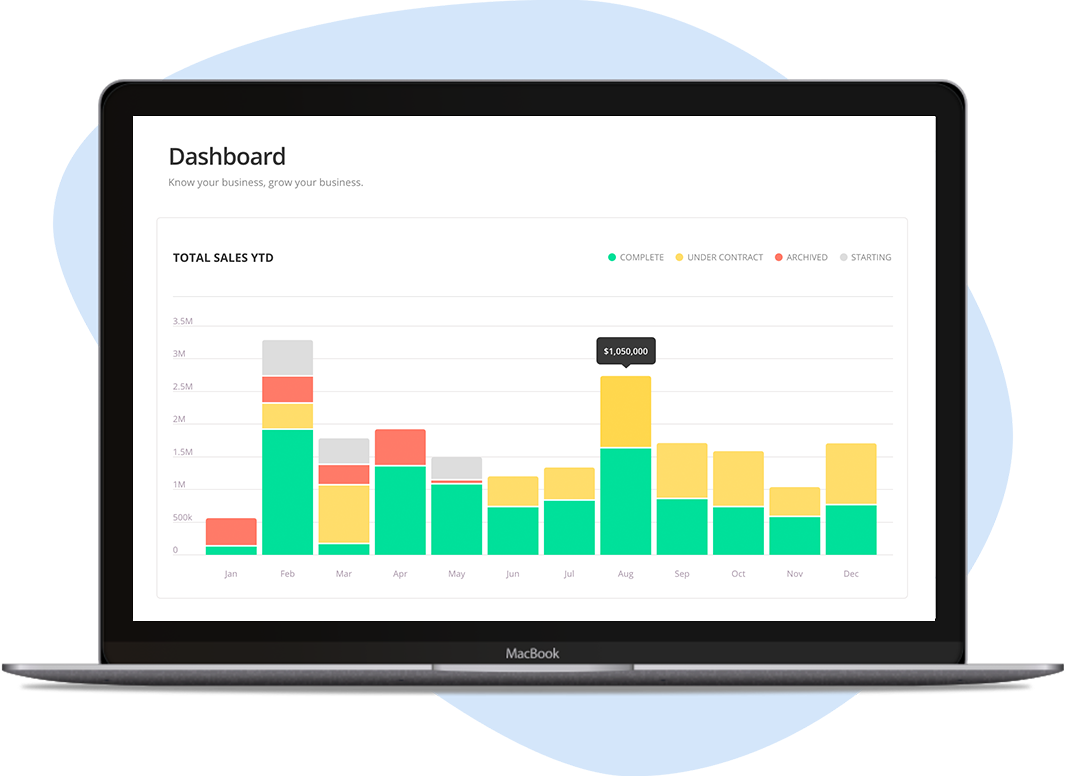
Run a Real Estate Brokerage?
Dotloop for Teams empowers over 2,000 teams with custom transaction templates, automated compliance, reporting and more. No more sharing login information.
